Category: Local Listing Management

  • Why Your Reinstatement Appeal Failed and the Proof Google Actually Wants

    Why Your Reinstatement Appeal Failed and the Proof Google Actually Wants

    Why Your Reinstatement Appeal Failed and the Proof Google Actually Wants

    There is no professional “gut-punch” quite like logging into your dashboard and seeing that dreaded red banner: “Your Business Profile has been suspended.” For a local business, this isn’t just a technical glitch; it is an immediate cessation of your primary lead source. Since 2011, I have helped thousands of business owners navigate the murky waters of google business profile reinstatement. I have seen the panic, the frustration, and most importantly, the confusion that follows a denied appeal.

    If your appeal was rejected, you likely received a generic email stating your profile “doesn’t follow our guidelines.” This lack of specificity is maddening. However, a denied appeal isn’t necessarily the end of the road. It simply means the evidence you provided was insufficient to overcome Google’s automated filters or human reviewers’ skepticism. Most denials happen because of “blurry documents,” “inconsistency with the listing,” or a failure to understand the “guilty until proven innocent” logic Google now employs. If you are struggling with a listing that has gone dark, you should first understand Why Your Business Profile Suddenly Vanished and How to Get It Back.

    The Anatomy of a Failed Appeal: Why Google Says No

    To fix a suspended google business profile, you must first understand why the initial attempt failed. In the current ecosystem, Google utilizes a combination of sophisticated AI and overworked manual reviewers. When you submit an appeal, the AI scans your documents for keywords, addresses, and visual clarity. If the AI finds even a 1% discrepancy between your utility bill and your GBP dashboard, it triggers a rejection.

    One of the most common triggers for suspension today is the “Deceptive Content” or “Quality Issues” flag. This is often an umbrella term for “We don’t believe this business is physically located where it says it is.” This is particularly common after an address change or for businesses using shared office spaces. Google’s default stance is one of extreme skepticism. They assume every new change is an attempt to game the system. To combat this, you need more than just google business profile optimization; you need a legal-grade defense of your business’s existence.

    Many businesses fail because they treat the appeal like a customer service request rather than a legal proceeding. They send a friendly note and a photo of a business card. To Google, a business card is meaningless – anyone can print one. If you want to recover a suspended google business profile, you must provide “Hard Proof.” Failure to do so often leads to a permanent “Denied” status that is much harder to overturn. This is often linked to deeper issues; for instance, The Audit Mistake That Makes Your Map Listing Effectively Invisible might be the underlying reason Google’s AI flagged you in the first place.

    The “Golden Trio” of Proof Google Actually Wants

    If you want to rank google business profile listings successfully, you must first ensure they are verified and stable. When an appeal is denied, Google is essentially saying, “We don’t have enough evidence.” To win, you must provide the “Golden Trio” of documentation. These documents must be clear, uncropped, and in high-resolution PDF or JPG format.

    1. Legal Business Registration

    This is the foundation of your appeal. Google needs to see that the government recognizes your entity. Acceptable documents include:

    • Articles of Incorporation or LLC Filing Documents.
    • Business Licenses (State, County, or City level).
    • Sales Tax Registration Certificates.
    • DBA (Doing Business As) registrations if your public name differs from your legal name.

    The name on these documents must match your Google Business Profile name exactly. If your LLC is “Smith Plumbing LLC” but your profile is “Smith Plumbing & Rooter,” you may face rejection until you align them or provide proof of the DBA.

    2. Official Utility Bills

    This is the “Proof of Life” for your physical location. Google wants to see a bill from a “fixed” service. This includes Electricity, Gas, Water, or a Landline Phone bill. Note that cell phone bills and credit card statements are frequently rejected because they are not tied to a physical structure in the same way a water line is. The address on the bill must match the address on your profile down to the suite number. If you are looking for advanced google business profile seo, ensuring your NAP (Name, Address, Phone) consistency starts here.

    3. Physical Proof of Operation

    This is where many Service Area Businesses (SABs) struggle. If you have a storefront, Google wants to see high-resolution photos of your permanent signage, both from the street and at the entrance. If you are an SAB (like a plumber or roofer), you must provide photos of your branded vehicle, your tools of the trade, and your registration documents. For more details on the specifics, check out The Single Document Required to Reinstate a Suspended Business Profile.

    Technical Traps: Why “Good” Evidence Gets Rejected

    You can have the right documents and still see your google business profile appeal denied. Why? Because of technical formatting and metadata. Google’s reviewers are trained to look for “photoshopped” or altered documents. If you scan a document and it looks slightly skewed, or if you use a “scanner app” that adds a watermark, Google may flag it as fraudulent.

    Another common trap is the “Mismatched NAP” issue. If your utility bill has your address as “123 Main St, Suite 4,” but your Google profile says “123 Main Street, #4,” the AI might flag this as a discrepancy. Before you submit an appeal to fix suspended google business profile issues, you must audit every single mention of your business online. Using local seo tools can help you identify these inconsistencies before Google does. Many business owners don’t realize that Why Your Address Citations Are Secretly Tanking Your Local Map Rank is a primary reason for both ranking drops and suspensions.

    Furthermore, ensure your photos contain EXIF data. When you take a photo of your office with a smartphone, the file contains “metadata” – the GPS coordinates of where the photo was taken. Google’s systems can read this. If you send a photo of your “office” but the metadata shows it was taken at your home 20 miles away, your appeal will be denied for deceptive content.

    The “Additional Review” and Plan B

    So, your first appeal was denied. What now? You cannot simply keep submitting the same form. Google will eventually “blackhole” your emails, meaning they will stop responding entirely. However, if your google business profile reinstatement request is denied, you may be eligible to submit an “additional review.”

    This is a more formal process where you can provide a detailed narrative. This is your chance to explain *why* the previous documents might have been confusing. For example: “The utility bill is under the landlord’s name, but here is my lease agreement and my insurance policy showing the same address.” This level of detail is often what tips the scale. If you are feeling overwhelmed, it is helpful to read How to Recover a Suspended Google Business Profile Without Losing Your Mind.

    If the “Additional Review” also fails, your final path is escalation through the Google Business Profile Help Community. There are “Product Experts” (Diamond and Platinum level) who have a direct line to the Google support team. These experts are not Google employees, but they have the authority to escalate cases that appear to be incorrectly handled by the automated systems. This is often the “only chance” left after multiple denials. Before reaching this stage, make sure you have followed the What to Do the Second Your Google Business Profile Gets Suspended protocol to ensure your case is clean.

    Beyond Reinstatement: Protecting Your Rank

    Getting your profile back is only half the battle. Often, a suspended profile loses its ranking power. When you recover suspended google business profile status, you might find yourself on page 3 of the map pack instead of the top 3. This happens because the “trust score” of your profile has been reset or damaged.

    To regain your position, you need to focus on aggressive local map pack seo. This involves refreshing your content, gathering new reviews, and utilizing google maps ranking service techniques to signal to Google that your business is active and relevant. You should also audit your profile to ensure no “quality issues” remain. Using the The Profile Audit Checklist for Turning Search Impressions Into Real Calls can help you identify areas where your profile can be strengthened post-reinstatement.

    To prevent future suspensions, avoid “heavy” edits. Don’t change your business name, category, and phone number all in one day. These “burst” changes are high-risk triggers. Instead, use GBP ranking tools to monitor your profile’s health and make incremental changes. For a long-term strategy, see our guide on 7 Google Business Profile Tips for 2026 to Outperform Massive Competitors.

    Conclusion

    A Google Business Profile suspension is a legal and documentation battle, not a technical one. Google isn’t looking for a “good reason” to reinstate you; they are looking for “undeniable proof” that you are who you say you are. By providing the Golden Trio of documents – clear, consistent, and high-resolution – you can improve google maps rankings and get your business back on the map.

    If you have been denied and feel like you’re shouting into a void, don’t give up. The system is designed to be difficult to filter out bad actors, but legitimate businesses can and do win their appeals every day. If you need expert assistance or specialized tools to audit your profile and ensure your next appeal is your last, reach out for a consultation or explore the resources at SEO Viper.


    About Professor M (Goncalo Matthews)

    Professor M has been a leading authority in the Google Business Profile space since 2011. As a specialized consultant, he has successfully navigated thousands of complex reinstatement cases for local businesses, from solo contractors to multi-location franchises. His expertise lies in the intersection of technical SEO and Google’s internal policy frameworks. He is the founder of SEO Viper, a suite of tools designed to help businesses dominate the local map pack.

  • The Audit Mistake That Makes Your Map Listing Effectively Invisible

    The Audit Mistake That Makes Your Map Listing Effectively Invisible

    The Audit Mistake That Makes Your Map Listing Effectively Invisible

    You’ve done everything by the book. You claimed your listing, verified your address, and spent months soliciting genuine 5-star reviews from your best clients. Yet, when you search for your primary services, your business is nowhere to be found in the Top 3 Map Pack. You are “ghosted” – verified and active, yet effectively invisible to the very customers searching for you. I am Tim Capper, and in my years as a Google Business Profile Product Expert and SEO Director, I’ve seen this scenario play out thousands of times. Most business owners think they have a marketing problem. In reality, they have an infrastructure problem. Effective google business profile seo isn’t about gaming the system; it’s about ensuring the technical data points of your listing align perfectly with Google’s internal understanding of your business entity.

    The “infrastructure” mindset requires looking past the surface level of your profile. Too many clinics, law firms, and service-based businesses suffer because of a fundamental disconnect between what they think they are telling Google and what the algorithm actually perceives. Whether it’s “Incomplete Services” or legacy data from “Duplicate or Old listings” lingering in the ecosystem, these technical glitches confuse Google’s algorithm, leading to a suppression of your visibility. If Google isn’t 100% certain about what you do or where you do it, it will always default to a competitor who provides clearer signals.

    Why Verification Doesn’t Equal Visibility

    One of the most common misconceptions in local search is that verification is the finish line. In reality, verification is simply the entry ticket to the stadium. Being “on the map” and “ranking in the pack” are two entirely different animals. You can be verified and still be an “Invisible Profile.” This phenomenon occurs when a business meets the basic requirements for existence but fails to meet the criteria for competitive relevance. To understand why, we have to look at the three pillars of local ranking: Proximity, Relevance, and Prominence.

    Proximity is often out of your control, but Relevance and Prominence are where the battle is won. If your relevance signal is broken by a specific audit error, even a business located next door to a searcher might not show up. This is why some businesses with hundreds of reviews are outranked by those with twenty. For a deeper dive into this frustration, see The Invisible Profile: Why You’re Not Showing Up Even With 5-Star Reviews. The mistake we are discussing today sits squarely in the “Relevance” pillar. If your audit only focuses on NAP (Name, Address, Phone) consistency, you are missing the technical nuances that dictate whether Google trusts your listing enough to recommend it to a high-intent user.

    The Fatal Error: Category Mismatch and Service Gaps

    The single most critical audit mistake that makes your listing invisible is the failure to align your **Primary Category** with your **Services Section**. Most local SEO audits are superficial; they check if the phone number is correct and if there are recent posts. However, they ignore the semantic connection between categories and services. This is the core of modern **google business profile seo**.

    Google uses your Primary Category to bucket your business into a broad industry. But the “Services” section is where you define the specific “entities” or “sub-tasks” you perform. For example, if you are a plumbing company, you might select “Plumber” as your primary category. However, if you fail to explicitly list “Emergency Drain Cleaning,” “Water Heater Repair,” or “Sump Pump Installation” in the Services section, you create a relevance gap. Google’s AI doesn’t just assume you do everything a typical plumber does; it looks for explicit confirmation. When a user searches for “emergency drain cleaning near me,” and your profile lacks that specific service tag, Google sees a mismatch. You become invisible for that high-value search term because the “infrastructure” of your profile is incomplete.

    To uncover these hidden gaps, you need more than a manual glance. Using a professional google business profile audit tool like SEO Viper Tools is essential. These tools can compare your service list against the top-ranking competitors in your area, highlighting exactly which keywords and service sub-types you are missing. If you want to rank google business profile listings effectively, you must treat the Services section as a technical data feed, not just a list of things you do. Every missing service is a lost opportunity to appear in the map pack.

    Technical Detail: The Primary Category Dominance

    It is also vital to understand that your Primary Category carries significantly more weight than your additional categories. A common mistake is choosing a primary category that is too broad or too niche for the local market. If your competitors are all ranking under “Personal Injury Attorney” and you have chosen “Law Firm,” you are fighting an uphill battle. You must benchmark your category against the current “Pack Leaders” to ensure you are playing in the right sandbox.

    The “Set and Forget” Trap in 2026

    As we move through 2026, the landscape of local search has shifted toward AI-driven filters and “Visual Search.” Google is no longer just reading your text; it is “reading” your images. The “Set and Forget” mentality – where you optimize your profile once and leave it – is a recipe for invisibility. One of the biggest ranking killers identified in recent research is “Insufficient or Inauthentic Photos.”

    Google’s Cloud Vision AI analyzes the photos you upload to confirm your business actually provides the services you claim. If you list “Roofing Contractor” but only upload stock photos or pictures of your office building, Google’s AI lacks visual confirmation of your work. Conversely, if you upload photos of actual roofing projects, Google’s AI identifies shingles, ladders, and safety gear, reinforcing your relevance for roofing-related queries. This is a key component discussed in 7 Google Business Profile Tips for 2026 to Outperform Massive Competitors. Inauthentic, low-quality, or stock imagery creates a “trust gap” in the algorithm. In 2026, if the AI cannot visually verify your services through your photo metadata and content, your visibility will suffer.

    The Proximity Paradox: Expanding Your Radius

    A frequent complaint I hear from business owners is: “I only show up when I’m standing in my office.” This is the Proximity Paradox. While Google favors businesses close to the searcher, your “ranking radius” is not fixed. It is elastic, expanding or contracting based on the strength of your relevance and prominence signals. If your listing is invisible once you move two miles away, your local SEO infrastructure is weak.

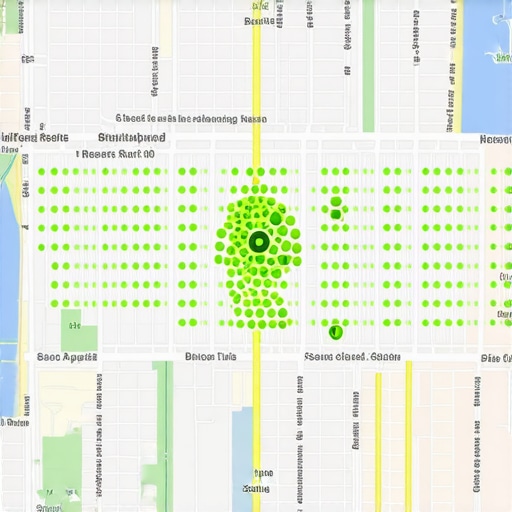
    To break out of this bubble, you must look beyond the profile itself. Your website’s “Hyperlocal Content” plays a massive role in how Google perceives your service area. If your website only mentions your city but doesn’t discuss specific neighborhoods, landmarks, or local projects, Google will keep your listing tethered to your physical address. For a deeper explanation of this, read The Proximity Truth: Why Your Office Location Isn’t the Only Reason You’re Not Ranking. To see how your visibility changes geographically, using a google maps rank tracker is non-negotiable. Tools like seovipertools.com allow you to see a grid-based view of your rankings across an entire city, showing you exactly where your “visibility wall” is so you can target those areas with localized content and citations.

    The 10-Minute Audit Checklist for Map Domination

    If you want to move from invisible to invincible, you need a systematic approach to fixing your profile’s infrastructure. Use this checklist to identify and correct the “Fatal Error” and other common gaps. For a more comprehensive look at what your previous SEO might have missed, check out The 3 Crucial Gaps Your Last Local SEO Audit Probably Missed.

    • Primary Category Audit: Does your primary category match the category of the top 3 ranking businesses for your most important keyword? Use a google business profile audit tool to verify this.
    • Services Section Deep-Dive: Have you used every available service slot? Don’t just rely on the pre-defined list; use the “Custom Service” option to add specific long-tail keywords that your customers actually search for.
    • Attribute Optimization: Have you filled out every relevant attribute? Whether it’s “Wheelchair accessible,” “Veteran-led,” or specific amenities, these attributes act as filters in mobile search. Missing them makes you invisible to filtered searches.
    • Photo Metadata and AI-readiness: Are your photos high-resolution and original? Do they depict the actual services listed in your profile? Avoid stock photos at all costs.
    • Review Response Patterns: Are you incorporating service-specific keywords in your review responses? Instead of “Thanks for the review,” try “Thanks for choosing us for your [Specific Service] in [City Name]!” This reinforces relevance.
    • NAP Consistency Check: While it’s “Local SEO 101,” check for duplicate listings at old addresses. Google’s “ghosting” often happens when it finds conflicting location data for the same business name.

    By following this checklist, you are moving beyond “marketing” and into the realm of technical local SEO. You are building a robust data infrastructure that Google can trust and reward with higher rankings.

    Conclusion: Moving From Invisible to Invincible

    Local SEO is no longer just about who has the most reviews. It is about which business provides the most coherent, technically sound, and visually verified data to Google’s ecosystem. The audit mistake of ignoring category and service alignment is the silent killer of local businesses. When you bridge the gap between your Primary Category and your Services section, and when you back that up with AI-ready visual evidence, you stop being a “ghost” and start being a local authority.

    Stop guessing why your business isn’t appearing in the map pack. If you want to **rank higher on google maps** and sustain that growth, you must invest in the right tools and strategies. Whether you choose to hire a professional google maps ranking service or utilize advanced local seo software to automate your audits, the goal remains the same: clarity. When Google is clear about what you do, you become invincible in local search. Don’t let a simple technical oversight keep your business in the shadows. Fix your infrastructure, optimize your **google business profile seo**, and claim your rightful place at the top of the Map Pack.

  • The Invisible Profile: Why You’re Not Showing Up Even With 5-Star Reviews

    The Invisible Profile: Why You’re Not Showing Up Even With 5-Star Reviews

    The Invisible Profile: Why You’re Not Showing Up Even With 5-Star Reviews

    You’ve done everything right. You’ve provided stellar service to your clients, and they’ve rewarded you with a steady stream of glowing, 5-star testimonials. Your Google Business Profile (GBP) is a wall of praise. And yet, when you search for your services in your city, you are nowhere to be found. Instead, you see a competitor with 12 reviews and a 4.2-star rating sitting comfortably in the coveted Top 3 Map Pack.

    This is the “Invisible Profile” syndrome. It is the most frustrating phenomenon in local marketing, and as someone who has ranked over 150 businesses, I can tell you: reviews are not a magic wand. While they are a critical component of “Prominence,” they are only one-third of the equation. If your technical foundation is cracked, Google will keep your 5-star business hidden on page five of the search results, effectively handing your leads to the competition.

    In this guide, we are going to pull back the curtain on google business profile seo. We will explore why your reviews might be ghosting you and, more importantly, the technical “silent killers” that are preventing you from dominating your local map pack.

    Section 1: The Holy Trinity of Local Ranking – Proximity, Relevance, and Prominence

    To understand why you aren’t ranking, you must first understand the algorithm that governs local search. According to Google’s official documentation, local results are primarily based on three factors: Proximity, Relevance, and Prominence.

    1. Proximity: The Unchangeable Variable

    Proximity refers to how close a business is to the searcher. If a user is searching for “dentist near me” while standing three blocks away from your competitor, that competitor has a massive proximity advantage. However, proximity is a “soft” signal. If your profile is better optimized, you can often outrank businesses that are physically closer to the user. This is where google business profile optimization becomes your greatest weapon.

    2. Relevance: Do You Match the Query?

    Relevance is how well your local business profile matches what someone is searching for. If you are a “Family Lawyer” but your profile only emphasizes “Legal Services,” you lack the specific relevance for a “divorce attorney” query. Google scans your categories, your business description, and even your website content to determine if you are the right answer for the user.

    3. Prominence: The Digital Footprint

    Prominence is where your reviews live. It’s a measure of how well-known a business is. This includes your review count, your average rating, your local citations, and your website’s overall SEO authority. If you have 100 reviews but zero backlinks to your website and no local directory listings, your “Prominence” score is actually lower than a competitor with fewer reviews but a powerhouse website. You can use a google business profile audit tool to see exactly where your prominence signals are failing compared to the top-ranked profiles in your niche.

    Section 2: Why Your Reviews Are “Invisible” or Missing

    One of the most common complaints I hear is, “My clients are leaving reviews, but they aren’t showing up on my profile!” Or, “I have 50 reviews, but Google doesn’t seem to care.” There are technical reasons why reviews fail to move the needle.

    The Review Filter and Spam Policies

    Google has become incredibly aggressive with its AI-driven review moderation. If a review is flagged by the system, it won’t just fail to help your ranking – it will be completely hidden from public view. Research shows that Google frequently blocks reviews from accounts that have a history of “suspicious” activity or those that appear to be violating spam policies. If a client leaves a review while connected to your business’s guest Wi-Fi, Google may flag it as a “conflict of interest” and hide it.

    Review Velocity and Patterns

    Then there is the issue of “Review Velocity.” If you typically get two reviews a month and suddenly receive thirty in a single weekend, Google’s “spam” alarm goes off. This often happens when businesses use aggressive automated tools. For a deeper dive into this, read The Trap of Review Automation: Why More Stars Don’t Always Mean More Map Leads. To rank higher on google maps, your review growth must look organic and consistent, not manufactured.

    Missing Keywords in Reviews

    Not all reviews are created equal. A review that says “Great job!” helps your rating but does little for your SEO. A review that says, “The best 24-hour emergency plumber in Dallas helped me fix a burst pipe,” is a goldmine. Google uses the text within reviews to strengthen your “Relevance” signal. If your reviews lack descriptive keywords, they are technically “thinner” than your competitors’ reviews.

    Section 3: The Technical “Silent Killers” of Visibility

    You can have a thousand 5-star reviews, but if your technical setup is flawed, you are invisible. These “silent killers” are the primary reason why high-rated businesses fail to appear in the Map Pack.

    Verification and “Pending” Status

    It sounds basic, but an unverified or “pending” status is the #1 reason for a total lack of visibility. Sometimes, a profile can look active to the owner but is actually stuck in a “re-verification” loop due to a recent change in address or phone number. If Google cannot 100% verify your physical existence, you will not rank. Always perform a regular google business profile audit tool check to ensure your verification status is “Verified” and “Public.”

    The Duplicate Listing Trap

    Duplicate listings are SEO poison. If there is an old listing for your business at a previous address, or if a third party accidentally created a second profile for you, your “ranking power” is split between the two. Google sees two entities and trusts neither. This confusion leads to both profiles being suppressed. Cleaning up duplicates is a core part of any professional gmb ranking service.

    Suspensions and Ghost Bans

    Sometimes, a profile isn’t just ranking poorly – it’s been “soft-suspended.” This happens when your profile is still visible if you search for the exact name, but it has been stripped of its ability to rank for categorical keywords like “roofing contractor.” This usually happens due to minor policy violations, such as having a “keyword-stuffed” business name. If you suspect this has happened, you need to know What to Do the Second Your Google Business Profile Gets Suspended.

    Section 4: Category Optimization – The Most Common Mistake

    If you want to rank google business profile effectively, you have to get your categories right. This is the single most important factor for “Relevance.”

    The most common mistake I see is business owners choosing a category that is too broad or, conversely, missing the primary category that their customers actually search for. For example, a specialized “Emergency Plumber” who sets their primary category as “General Contractor” will almost never appear in the Map Pack for plumbing-related searches. Google gives the most weight to your Primary Category.

    You should also utilize secondary categories, but sparingly. Adding too many unrelated categories can “dilute” your relevance. If you are a dentist, adding “Teeth Whitening Service” and “Cosmetic Dentist” as secondary categories is great. Adding “Wedding Photographer” (yes, I’ve seen it happen in shared office spaces) will destroy your rankings. For more on this, check out Why Most Business Owners Pick the Wrong Categories and Kill Their Local Map Rank.

    Section 5: Advanced 2026 Signals – Foot Traffic and Interaction Speed

    As we move into 2026, the google maps ranking service is becoming more sophisticated. Google is looking beyond static data and focusing on real-world interactions.

    Dwell Time and Foot Traffic

    Google tracks “Popular Times” and “Dwell Time” using location data from users’ phones. If people are actually visiting your physical location and staying there, Google views this as a massive signal of authority and trust. This is why “virtual offices” and “fake addresses” are finding it harder to rank. Real foot traffic signals are now a top-tier ranking factor. You can learn more about this in our guide on How Real Foot Traffic Signals Push Your Business to the Top of Maps.

    Interaction Speed: The “Response” Factor

    How fast do you reply to Google Business Messages? How often do you post updates? Google wants to recommend businesses that are active and responsive. If a user clicks “Message” on your profile and you don’t respond for 24 hours, Google notes that as a poor user experience. High interaction speed and frequent “Google Updates” (formerly Posts) tell the algorithm that your business is “alive,” which significantly helps to improve google maps ranking.

    Section 6: The Competitor Gap – Why the Shop Next Door is Winning

    If your categories are right and your reviews are great, but you’re still losing, the problem likely lies in your Brand Authority and Website SEO. Google does not look at your Map Profile in a vacuum; it looks at your entire digital ecosystem.

    The Website Link

    Your Google Business Profile is tethered to the URL you list in the “Website” field. If that website is slow, not mobile-friendly, or lacks local signals (like your City and State in the H1 tag), your Map Profile will suffer. Google uses the authority of your website to “verify” the prominence of your business. If your competitor has a blog that regularly discusses local community events and has backlinks from local news sites, they will outrank you every time.

    Local Schema Markup

    Technical SEO on your website is non-negotiable. You must use LocalBusiness Schema markup to tell Google’s bots exactly where you are and what you do. This code acts as a bridge between your website and your map profile. Without it, you are making Google “guess,” and Google hates guessing. Using professional local seo ranking tools can help you identify if your schema is correctly implemented or if it’s broken.

    Local Backlinks

    A “backlink” from a local chamber of commerce or a local high school sports sponsorship carries more weight for local maps than a backlink from a generic national blog. These “hyper-local” links prove to Google that you are a pillar of the local community, boosting your Prominence score significantly.

    Conclusion: Your Roadmap to the Top 3

    Getting more calls from google maps isn’t about luck, and it isn’t just about having the most reviews. It is about balancing the “Holy Trinity” of Proximity, Relevance, and Prominence. If you are stuck in the “Invisible Profile” trap, it is time to stop focusing solely on reviews and start looking at your technical SEO, your category selection, and your real-world interaction signals.

    The journey to the top of the map pack starts with an honest assessment of your current standing. I recommend every business owner perform a comprehensive google business profile seo audit. By identifying the silent killers – like duplicate listings or poor category choices – you can finally turn your 5-star rating into 5-star visibility.

    Ready to stop being invisible? Use the SEO Viper Tools to automate your local growth and start dominating your local maps today. Your competitors are already using these signals; it’s time you did too.

  • The Single Document Required to Reinstate a Suspended Business Profile

    The Single Document Required to Reinstate a Suspended Business Profile

    The Single Document Required to Reinstate a Suspended Business Profile (and Why Most Appeals Fail)

    There is no feeling quite like the “gut-punch” of waking up, checking your email, and seeing the dreaded notification: “Your Business Profile has been suspended.” For a local business owner, this isn’t just a technical glitch; it is an immediate cessation of leads, phone calls, and revenue. As a Senior Google Business Profile Manager, I have seen this scenario play out hundreds of times. Whether you are a plumber in Chicago or a law firm in London, a suspension feels like your digital storefront has been boarded up by a faceless entity.

    Most business owners panic. They immediately hit the “appeal” button, write a frantic paragraph about how they are a “legitimate business,” and attach a blurry photo of their truck. These appeals almost always fail. Why? Because Google doesn’t operate on emotion; it operates on data and trust. In the current 2026 landscape, google business profile reinstatement requires a surgical approach. Most businesses fail because they provide “fluff” documentation – business cards, social media screenshots, or invoices. In this guide, I am going to reveal the “Single Document” that acts as the silver bullet for reinstatement and walk you through the exact protocol I use to get my clients back on the map.

    The “Silver Bullet”: Why a Utility Bill is Non-Negotiable in 2026

    If you want to fix google business profile suspension issues quickly, you must understand Google’s current psychological state. Google’s trust in local data is at an all-time low due to years of lead-generation spam and fake listings. Consequently, their verification team has become incredibly cynical. While the appeal form suggests you can upload business licenses or tax registrations, those documents are often insufficient on their own. Why? Because anyone can register a shell corporation at a virtual office for $50.

    The “Silver Bullet” is a Utility Bill (Electricity, Water, Gas, or Trash) that matches your Business Name and Address exactly. In the eyes of a Google manual reviewer, a utility bill represents “physicality.” It proves that a meter is spinning at that location and that a human being is paying for the infrastructure required to run a business. This is the cornerstone of google business profile optimization and the primary way to establish undeniable legitimacy.

    However, simply having the bill isn’t enough. It must follow the “NAP” (Name, Address, Phone) rule with 100% precision. If your Google Profile lists your address as “123 Main St, Suite B,” but your electric bill says “123 Main St, #B” or omits the suite number entirely, Google will likely reject the appeal. They are looking for a reason to say “No” to protect the integrity of their maps. Before you even think about submitting your appeal, you must ensure your document matches your profile down to the punctuation. If you need to audit your presence before submitting, utilizing google business profile optimization tools via SEO Viper Tools can help you identify these discrepancies before they cause a permanent rejection.

    Why Your Profile Was Suspended: Identifying the Violation

    You cannot fix what you do not understand. Before submitting your google business profile reinstatement request, you must identify the “Why.” Google rarely tells you the specific reason, usually citing “Policy Violation” or “Deceptive Content.” However, through years of managing these cases, I’ve found that 90% of suspensions fall into three categories:

    • Keyword Stuffing: Adding “Best Plumber Near Me” to your business name. If your legal name is “Smith Plumbing” but your profile says “Smith Plumbing & Drain Cleaning Services Chicago,” you are a target for suspension.
    • Address Issues: This is common for Service Area Businesses (SABs). If you work from home but have your home address visible on the map, you are violating terms. Conversely, if you use a P.O. Box or a Virtual Office/UPS Store address, you will be suspended.
    • The “SAB” Trap: If you are a Service Area Business, you must hide your address. If Google detects you are operating out of a residential area while showing an address, they will flag the listing for “Deceptive Content.”

    If you find yourself in this situation, you need to know What to Do the Second Your Google Business Profile Gets Suspended. The first step is always a “hard pause.” Do not change 50 things at once. Identify the most likely violation, fix it on the profile, and then prepare your documentation. If you are struggling to recover suspended google business profile assets, it is usually because the “Fix” wasn’t applied before the appeal was sent.

    The 7-Step Reinstatement Protocol (The Darren Shaw Method)

    Industry experts like Darren Shaw from Whitespark have long advocated for a systematic approach to reinstatement. When the documentation is perfect, I have seen profiles back online in as little as 12 hours. Here is the professional protocol:

    1. The Audit: Compare your Google Business Profile “Info” tab against your official Secretary of State filing and your utility bill. Every letter must match.
    2. The Cleanup: Remove any promotional fluff from your business name. Ensure your categories are relevant and not “over-categorized.”
    3. The Document Prep: Scan your Utility Bill in high resolution. Do not take a photo with your phone if you can avoid it; use a flatbed scanner. Ensure all four corners of the document are visible.
    4. The Appeal Submission: Use the official Google Business Profile Reinstatement/Appeal tool. Attach your utility bill and your business license.
    5. The Narrative: In the text box, be professional and concise. “My business, [Name], was suspended. I have updated the profile to ensure 100% compliance with Google’s guidelines. Attached is a recent utility bill proving our physical location at [Address].”
    6. The Wait: Google typically takes 5 – 7 business days to review. Do NOT submit multiple tickets. This resets your place in the queue and can lead to your case being flagged as “duplicate.”
    7. The Escalation: If denied, do not lose hope. You can move to the “Additional Appeal” or seek help from a Gold Product Expert on the GBP Help Forum.

    Following this protocol is the only way to rank google business profile listings again after a hit. If you rush this, you risk a “permanent” suspension, which is much harder to overturn. For a deeper dive into the emotional and technical side of this process, read How to Recover a Suspended Google Business Profile Without Losing Your Mind.

    Navigating the New Video Verification Requirements

    In 2026, Google has shifted heavily toward Video Verification as part of the reinstatement process. Even if you provide the “Single Document” (the utility bill), you may be asked to record a video of your business. This is where many contractors and service providers fail because they don’t know what Google is looking for.

    When performing a video verification, you need to demonstrate three things: Location, Legitimacy, and Management. Start the video outside. Show the street sign, then the exterior of your building, and finally your signage. Walk inside and show your “Single Document” – that same utility bill – sitting on your desk. Show your “tools of the trade” (e.g., your plumbing van, your law library, or your specialized equipment). Finally, show yourself opening the door or accessing a “staff only” area to prove you have management authority.

    Using local seo tools can help you track if your video verification has successfully triggered a re-indexing of your profile. Remember, the video is not a commercial; it is a forensic audit of your existence. Keep it under two minutes and ensure the lighting is clear.

    Common Mistakes That Turn a 3-Day Fix into a 3-Month Nightmare

    As a google business profile seo expert, I see the same mistakes repeated weekly. The most dangerous mistake is creating a new profile while the first one is suspended. This is considered “circumventing the system” and is a death sentence for your brand’s presence on Google Maps. Google’s AI is excellent at matching phone numbers and addresses; they will find the second profile and suspend it too, often making the original profile “un-reinstatable.”

    Another common error is “Review Bombing” or trying to use local seo services to “power through” a suspension. If your profile is down, no amount of backlinks or citations will help you. You must fix the core trust issue first. Additionally, be aware of the “3-5 Day Rule.” After you are reinstated, your reviews might not appear immediately. Don’t panic and start calling support; they usually take a few days to repopulate from the backup servers. During this fragile time, avoid making any major edits to your profile, such as changing your primary category or phone number, as this can re-trigger the suspension algorithm.

    Post-Reinstatement: How to Reclaim Your Map Pack Ranking

    Getting reinstated is only half the battle. Often, when a profile returns, its rankings have tanked. You might have been in the “Top 3” before, but now you’re on page four. This happens because the “authority” of your listing was paused during the suspension. To rank higher on google maps again, you need to kickstart the listing’s activity.

    First, use SEO Viper Tools to run a new audit. You need to see where your “ranking gaps” are now. Start posting “Google Updates” (formerly GMB Posts) daily for the first week. Ask two or three of your best customers to leave a fresh review with a photo. This signals to Google that the business is not only “back” but is actively serving the community. This is the core of a gmb ranking service strategy: engagement + relevance.

    If you find that your recovery has plateaued, you should consult The Ultimate Guide to Google My Business Rank Elevation. Sometimes, a suspension reveals deeper issues with your local SEO foundation that need to be addressed. Furthermore, if you notice that your ranking hasn’t moved despite your efforts, you might be experiencing a specific technical glitch. In that case, check out Why Your Profile Ranking Stalled and the 5-Minute Fix That Restarts It.

    Conclusion

    A suspended Google Business Profile is a crisis, but it is a solvable one. The key is to stop treating Google like a person you can argue with and start treating it like a machine that requires specific inputs. That input is the Utility Bill. By providing a clean, high-resolution document that matches your NAP data exactly, you remove 90% of the friction in the reinstatement process.

    Don’t leave your ranking to chance. If you’re struggling to appear in the map pack after reinstatement, check out our google maps ranking service or use local seo software to audit your profile. Reinstatement is just the beginning; the real goal is dominance. With the right documentation and a professional google business profile optimization strategy, you can turn a suspension from a disaster into a catalyst for a cleaner, stronger, and more visible digital presence.

  • What to Do the Second Your Google Business Profile Gets Suspended

    What to Do the Second Your Google Business Profile Gets Suspended

    What to Do the Second Your Google Business Profile Gets Suspended

    It is the ultimate gut-punch for any local business owner. You wake up, check your notifications, and there it is: “Your Business Profile has been suspended.” In an instant, your digital storefront has vanished. The phone stops ringing, the lead flow dries up, and your visibility on Google Maps – the lifeblood of your local revenue – is gone. For many, a suspension results in an immediate 100% loss of local lead flow, a catastrophic blow that can put a small business at risk within weeks.

    I am Fiza Feroz, a GMB Reinstatement Specialist and Local SEO Expert. I have spent years navigating the labyrinth of Google’s algorithms and policy enforcement. If you are panicking, I want you to take a deep breath. While a suspension feels final, my experience shows that 90% of profiles can be recovered if you follow a precise, methodical approach. This is not the time for guesswork; it is the time for a clinical execution of the reinstatement process. To fix google business profile suspension issues, you must stop reacting emotionally and start acting strategically. This guide will show you exactly how to navigate this crisis in 2026’s hyper-regulated local search environment.

    Step 1: Diagnose the Type of Suspension (Soft vs. Hard)

    Before you can attempt a google business profile reinstatement, you must understand exactly what kind of “prison” Google has placed you in. Not all suspensions are created equal, and the path to recovery depends entirely on the diagnosis. If you aren’t sure where to start, reading Why Your Shop Disappeared From Search and How to Force It Back on the Map can provide deeper context on the mechanics of visibility loss.

    The Soft Suspension

    In a soft suspension, you can still log into your Google Business Profile dashboard, but you will see a red “Suspended” label. Interestingly, the business listing might still be visible to the public on Google Maps and Search, but you have lost all management rights. You cannot respond to reviews, update hours, or post updates. This usually indicates a minor policy infraction or a “user-level” suspension where Google trusts the data but no longer trusts the manager of that data.

    The Hard Suspension

    A hard suspension is the “death penalty” of local search. Your listing is completely scrubbed from Google Maps and search results. Searching for your business name directly returns nothing. This is often triggered by what Google perceives as “deceptive” behavior or a serious violation of their representation guidelines. This requires a much more robust evidence-gathering phase to recover suspended google business profile status.

    The “Disabled” Status

    In 2026, we are seeing an increase in profiles being “Disabled.” This is distinct from a standard suspension and usually means Google has flagged the account for a severe policy violation, such as being a “spam” business or failing to meet the basic eligibility requirements (like having a physical location when you’ve claimed one). Regardless of the type, your priority is to remain calm and avoid the “fatal mistakes” outlined in the next section.

    Step 2: The “Do Not” List (Avoiding Fatal Mistakes)

    When a business owner sees their profile disappear, their first instinct is often their worst. In my work as a google business profile seo consultant, I have seen more profiles permanently banned because of “panic moves” than because of the original suspension trigger. To protect your chances of a successful google business profile ranking in the future, adhere to these rules:

    • NEVER create a new profile: This is the most common mistake. Business owners think, “I’ll just start over.” Google’s AI filters see this as “circumventing system’s policy.” It is an immediate red flag that can lead to a permanent ban of your business name and address across the entire ecosystem.
    • NEVER submit an appeal immediately: You only get one real shot at a clean appeal. If you submit a reinstatement request before fixing the underlying issue, Google will likely deny it. Once denied, the “trust score” of your profile drops, making subsequent attempts much harder.
    • NEVER spam the support team: Opening multiple tickets for the same issue creates “ticket clutter.” Google’s automated systems may merge these tickets or flag your account as a spammer, further delaying the gmb ranking service you desperately need.
    • NEVER change your address during a suspension: Unless the address was the reason for the suspension, changing core data while under review looks suspicious.

    Before you take any action, you must understand How to Recover a Suspended Google Business Profile Without Losing Your Mind. Patience is your greatest asset here.

    Step 3: Identify the Trigger (Why Did This Happen?)

    Google rarely tells you exactly why you were suspended. They will use vague language like “Quality Issues” or “Deceptive Content.” To fix google business profile suspension issues, you must become a detective. Effective google business profile optimization requires a strict adherence to the rules. Here are the most common triggers we see in 2026:

    NAP Inconsistency

    If your Name, Address, and Phone number (NAP) on your website, Facebook, and Yelp don’t match your GBP perfectly, Google’s AI may flag the profile as unreliable. Even a small discrepancy, like “Street” vs. “St.”, can trigger a flag if there are enough of them.

    Address Issues (The “Virtual Office” Trap)

    Google’s 2026 algorithms are incredibly sophisticated at identifying P.O. Boxes, UPS Stores, and Virtual Offices. If you are using a coworking space without a dedicated, permanent office and signage, you are at high risk. They want to see a “brick and mortar” presence for most categories.

    High-Risk Categories

    If you are in a “Siren” industry – Locksmiths, Plumbers, HVAC, Garage Door Repair – you are under a microscope. These industries have been historically plagued by lead-gen spam, so Google’s threshold for suspension is much lower. Utilizing high-quality local seo tools can help you monitor your compliance before a suspension happens.

    Recent Changes to Core Info

    Did you recently change your business name to include keywords? Did you change your primary category? These “optimizations” are often flagged as “spammy” if they don’t align with your legal business name. If you’ve been trying to rank google business profile listings by stuffing keywords into the title, you’ve likely found the trigger.

    Step 4: The 2026 Reinstatement Roadmap

    Once you have identified the likely cause, it is time to follow the official roadmap. This process has changed significantly over the last year, moving toward the “My Accounts” appeal interface. To improve google maps ranking after a hit, you must follow these steps precisely.

    1. The Audit

    Perform a deep dive into your profile. Does your business name match your legal registration? Is your category the most accurate one? Use a google maps rank tracker to see if you are still appearing for any localized terms, which can help determine the extent of the “shadow ban.” I highly recommend performing The 10-Minute Local SEO Audit That Uncovers Why Your Rankings Stalled to see if other technical issues are compounding your suspension.

    2. The Fix

    Update your profile to match your legal documents exactly. If your business license says “Main Street Plumbing LLC,” your GBP should not say “Best Plumber in Town – Main Street Plumbing.” Remove any keyword stuffing. Ensure your website’s footer matches the GBP info perfectly.

    3. The Evidence Gathering

    Google is no longer taking your word for it. In 2026, you need a “Proof Bundle.” This should include:

    • A scanned copy of your business license or tax registration.
    • A utility bill (electric, water, or internet) in the business name at the listed address.
    • Photos of your permanent signage, both from the street and at the office door.
    • For service-area businesses, photos of your branded vehicles and equipment.

    Using professional local seo software can help you organize your data and ensure your digital footprint is consistent across the web.

    4. The Appeal

    Navigate to the Google Business Profile Appeal tool. You will be asked to select the business and then “Evidence” to support your claim. This is where you upload your Proof Bundle. In your “Statement of Support,” be concise. Do not complain. Simply state: “We have reviewed the guidelines and ensured our profile is in full compliance. Please see the attached business license and utility bill confirming our physical location and legal name.”

    Step 5: Gathering Irrefutable Proof (The Specialist’s Secret)

    The secret to a fast google business profile reinstatement is “Trust Signals.” In 2026, Google has integrated spatial search and AI filters that look for “biometric” proof that a business is real. This often comes in the form of Video Verification. For a more detailed breakdown, see The 4 Missing Trust Signals Keeping Your Business Out of the Top 3.

    When recording a verification video, you must show:

    1. The Surroundings: Start outside and show the street signs and neighboring businesses to prove your location.
    2. The Signage: Show your permanent, non-detachable business sign.
    3. The Interior: Walk into the office, show the workspace, and most importantly, show “tools of the trade” (computers, specialized equipment, etc.).
    4. Proof of Management: Show yourself unlocking the door or logging into the POS system.

    Google’s manual reviewers are looking for any reason to say “No.” Your job is to make it impossible for them to deny that you are a legitimate local business. If you are using GBP ranking tools, ensure they are not using automated bots to access your account, as this can undermine the trust you are trying to build during the appeal.

    Life After Reinstatement: Reclaiming Your Rankings

    Congratulations, your profile is back! But the battle isn’t over. A suspension is like a heart attack for your SEO; even if you survive, your “fitness” (rankings) will have declined. You will likely notice that you are no longer in the Top 3. To improve google maps ranking, you need to reignite your activity. This is where a professional google maps ranking service or a dedicated local seo agency becomes invaluable.

    Start by posting a “We’re Back” update, generating a few fresh reviews from loyal customers, and ensuring your google business profile seo is tighter than ever. You need to prove to the algorithm that you are still the most relevant and trusted authority in your local area. Consistent google maps seo and local seo services are the only way to ensure that a temporary suspension doesn’t turn into a permanent loss of market share.

    Conclusion: Don’t Gamble With Your Digital Front Door

    A Google Business Profile suspension is a crisis, but it is a manageable one. By diagnosing the issue, avoiding common mistakes, and providing irrefutable evidence of your legitimacy, you can recover suspended google business profile listings and get back to work. However, the 2026 landscape is more complex than ever, with AI-driven enforcement and strict verification requirements.

    Don’t gamble with your business’s digital front door. If you’ve tried to appeal and failed, or if you simply can’t afford to wait weeks for a response, contact our reinstatement team today. As a local seo expert, I specialize in navigating these exact scenarios to restore your google business profile ranking and get your phones ringing again.

  • How to Recover a Suspended Google Business Profile Without Losing Your Mind

    How to Recover a Suspended Google Business Profile Without Losing Your Mind


    How to Recover a Suspended Google Business Profile Without Losing Your Mind


    How to Recover a Suspended Google Business Profile Without Losing Your Mind

    It usually happens on a Tuesday morning. You grab your coffee, open your laptop to check your lead flow, and there it is – the dreaded red banner in your dashboard: “Your Business Profile has been suspended.”

    It feels like a gut punch. For a local business, a Google Business Profile (GBP) isn’t just a digital business card; it is the lifeblood of your lead generation. When your listing disappears, your phone stops ringing, your “Request a Quote” forms go silent, and your competitors start siphoning off the traffic you worked months to earn. As Fiza Feroz, a GMB Reinstatement Specialist, I have seen this scenario play out for hundreds of business owners. Whether you are a plumber in Phoenix or a lawyer in London, the panic is the same.

    But here is the truth: while a suspension feels like a death sentence for your local visibility, most profiles are entirely recoverable. The key is not to panic-click the “Appeal” button. Instead, you need a systematic, technical approach to identify the violation, fix it, and present undeniable evidence to Google. In this guide, we will walk through the exact 2025/2026 methodology for google business profile seo and reinstatement.

    The Anatomy of a Suspension: Soft vs. Hard

    Before you can fix the problem, you must understand what kind of problem you have. Not all suspensions are created equal. In the world of Local SEO services, we categorize these into two distinct buckets: Soft and Hard.

    1. Soft Suspension

    A soft suspension is the “manageable” version of a nightmare. You will see the “Suspended” label in your Google Business Profile manager, and you will lose the ability to edit your information or respond to reviews. However, the listing itself remains visible on Google Maps and search results. While it is still live, you are effectively locked out of the cockpit. This often happens due to minor policy violations or a manager’s account being flagged.

    2. Hard Suspension

    A hard suspension is the nuclear option. Your listing is completely scrubbed from Google Search and Google Maps. If you search for your business name directly, it won’t appear. This is devastating for your Google My Business rank elevation because all the authority and reviews you’ve built are hidden from the public. This usually occurs due to “Suspicious Activity” or serious violations of the Google Business Profile guidelines.

    Data from Reinstatement Labs suggests that Google rarely tells you the specific reason for the suspension. They will provide a vague category like “Quality Issues,” leaving you to perform a manual audit of the “Guidelines for representing your business on Google.”

    Why Did This Happen? Identifying the “Invisible” Trigger

    Google’s AI-driven moderation is aggressive. Often, a suspension is triggered by a tiny change that the algorithm perceives as fraudulent. If you want to fix google business profile suspension issues, you must first identify the trigger. Here are the most common culprits:

    • NAP Inconsistency: If your Name, Address, or Phone number on your profile doesn’t match your website, your business license, or your local citations, Google loses trust in your data.
    • Address Issues: This is the #1 reason for suspensions today. Using a PO Box, a UPS Store, or a virtual co-working space address is a direct violation. Google requires a physical location where you can meet customers or a designated service area.
    • Keyword Stuffing: Adding “Best HVAC Repair” or “Cheap Lawyer” to your business name is a violation. Your name on Google must match your real-world signage and legal filings.
    • Manager Issues: Sometimes it isn’t your fault. If a marketing agency or a manager on your account has their own account flagged for spam on other profiles, your profile can be suspended by “guilt by association.”

    If your listing vanished without a clear reason, you might be dealing with a broader algorithmic shift. Check our guide on Why Your Local Shop Disappeared From the Map Pack Overnight to see if you were caught in a “spam sweep.”

    The Evidence Locker: Documents You Need Before Appealing

    The biggest mistake business owners make is submitting an appeal without evidence. You only get one “clean” shot at an appeal; if you waste it, the process becomes exponentially harder. You need to build an “Evidence Locker” to prove your business is legitimate and physically located where you say it is.

    Based on research from industry leaders like Kite Media, the following “Golden Proof” documents are mandatory for a successful rank higher on google maps strategy during reinstatement:

    • Official Business License: This must show the business name and address exactly as they appear (or should appear) on your profile.
    • Utility Bills: A water, electric, or phone bill is the gold standard. It proves you have a physical footprint.
    • Permanent Signage Photos: Google wants to see your office or shop. A photo of your logo on a door or a building directory is essential. For Service Area Businesses (SABs), photos of branded vehicles or tools can help.
    • Secretary of State Filings: For LLCs and Corporations, your registration documents are vital.
    • DBA (Doing Business As) Certificates: If your legal name differs from your public business name, this document bridges the gap.

    Expert Tip: Blurry, cropped, or low-resolution photos will lead to an immediate rejection. Use a high-quality camera, ensure the lighting is good, and include “street-view” style photos that show the surrounding buildings to help Google’s manual reviewers verify the location.

    Step-by-Step: Using the Google Business Profile Appeals Tool (2025/2026 Method)

    Google has moved away from the old email-based reinstatement forms. In 2025/2026, you must use the official Google Business Profile Appeals Tool. This workflow is designed to be more transparent, but it is also more rigid. If you want to use a google maps ranking service effectively later, you must get through this gate first.

    1. Access the Tool: Log into the Google account associated with your business and navigate to the Appeals Tool.
    2. Select the Business: Choose the suspended listing from the dropdown menu.
    3. Review the Status: The tool will show if the listing is eligible for appeal. If it says “No info found,” you may be looking at the wrong account.
    4. Submit the Evidence: This is where you upload your Evidence Locker documents. You have a limited file size, so combine PDFs if necessary.
    5. The Narrative: You will have a small text box to explain the situation. Be professional and technical. “We have updated our profile to strictly adhere to Google’s representation guidelines and have attached our business license and utility bill for verification.”

    Remember the “One Shot” Rule. Reinstatement Labs notes that identifying the cause *before* submitting the appeal increases success rates by over 70%. If you rush this, you may be stuck in a “Denied” loop for weeks.

    What to Do if Your Appeal is Denied

    If the tool comes back with a “Not Approved” status, do not delete your listing and start over. This is a critical error. Creating a new listing for a suspended business is considered “circumventing system’s” and can lead to a permanent ban of your entire brand and email address.

    Instead, follow the “Product Expert” route. The **Google Business Profile Help Community** is staffed by volunteers, some of whom are Gold or Platinum Product Experts. These individuals have a direct line to the Google internal team. If you can prove your case to them, they can escalate your thread for a manual review.

    During this stage, you should also audit your proximity signals. Sometimes, a denial isn’t about your paperwork, but about how many other businesses are registered at your same address (a common issue in “Executive Suites”).

    For more on the technical side of these audits, refer to our deep dive on The Role of Citations in GMB Recovery. Using local seo tools to scan for duplicate citations can often reveal the “hidden” reason for a denial.

    Post-Recovery: Reclaiming Your Spot in the Map Pack

    Congratulations! Your listing is live again. But there is a catch: your rankings have likely tanked. It is common for a profile to return to page 3 or 4 of the Map Pack after a suspension. Google’s algorithm needs to “re-learn” that you are a trusted entity.

    To recover your ranking, you need to ramp up your google business profile optimization. This includes:

    • Fresh Content: Post 2-3 Google Updates per week with high-quality images.
    • Review Velocity: Reach out to recent happy customers and ask for reviews. A sudden influx of positive, keyword-rich reviews signals to Google that you are back in business.
    • Q&A: Populate your Q&A section with helpful, localized information.

    Check out our guide on 5 Fast Signal Tweaks That Actually Improve Your Google My Business Rank to accelerate this process. Reinstatement is just the first step; the real work is in the google business profile reinstatement and subsequent optimization.

    Conclusion & Call to Action

    Recovering a suspended Google Business Profile is a test of patience and precision. By treating the process like a legal case – gathering evidence, identifying the “crime,” and presenting a professional defense – you can restore your local visibility and get your leads flowing again. Don’t let a suspension destroy your hard-earned reputation.

    If you are struggling to navigate the appeals tool or want to ensure your profile is fully optimized to prevent future issues, it is time to invest in professional google business profile seo. Audit your profile today before the algorithm does it for you.


    About the Author: Fiza Feroz

    As a GMB Reinstatement Specialist, I have helped numerous local businesses navigate the complexities of Google’s policies. Whether your listing was flagged for suspicious activity or address violations, I specialize in the technical recovery of local visibility and google maps rank tracker management.