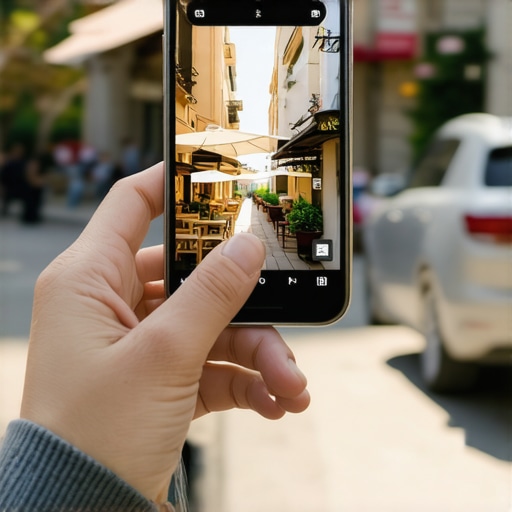
I was staring at a client’s dashboard six months ago, scratching my head. We had the citations, the reviews, and a solid website, but the phone wasn’t ringing as much as it should for a top-three spot. Then I pulled out my phone and searched for them myself. In the sea of horizontal, ‘professional’ landscape shots, our profile looked… tiny. Meanwhile, a competitor down the street had this tall, vibrant shot of their lobby. It took up twice the screen space. That was my ‘aha’ moment. If you want to dominate maps, you have to own the pixels. Most of us are still stuck in the 2010s mindset of landscape photography. But today, the mobile screen is vertical. If you aren’t using that to your advantage, you’re basically handing clicks to the guy next door. I used to tell clients to hire a pro who would give them wide-angle, cinematic shots. Big mistake. Those look great on a TV, but on a 6-inch phone screen, they turn into thin strips of nothing. Today, I’m going to show you exactly how to flip your ratio and reclaim your territory.
Stop Squinting at Tiny Photos on Your Smartphone
The reality of local maps domination is that users are lazy. We scroll with our thumbs, and we only stop when something forces us to. When you upload a standard 16:9 landscape photo, Google often crops it or surrounds it with white space that makes your listing feel small. By switching to a vertical ratio—specifically 4:5—you are essentially buying more ‘shelf space’ on the user’s screen. The simple photo trick that boosts your map engagement overnight isn’t about fancy filters; it’s about physical real estate. According to data from BrightLocal, profiles with high-quality, relevant images receive significantly more requests for directions, but if those images are too small to see, that potential is wasted.
Do Vertical Photos Really Stop the Scroll?
You might be skeptical. After all, isn’t google my business rank mostly about reviews and proximity? While those are huge, click-through rate (CTR) is the silent engine behind your ranking. If Google sees that everyone skips the #1 result to click on the #3 result because the photo is more engaging, guess who eventually moves up? Have you ever looked at your own profile on a phone and felt like it just didn’t ‘pop’ compared to others? The one thing Google looks for in your storefront photos is clarity and engagement. By optimizing your photos without being a pro, you are giving the algorithm and the customer exactly what they want: a clear, unavoidable reason to stop scrolling. {image_placeholder} We are going to dive into the technical specs next, but first, check your current photos. Are they slivers or are they stars?
Ditch the Landscape and Embrace the Tall Crop
Think of your Google Business Profile as a digital billboard. On a highway, a billboard that is twice as tall as the others gets more eyes. The same logic applies to the mobile search results. When you shoot in landscape, you’re basically buying a bumper sticker. To truly dominate maps, you need the billboard. The secret is the 4:5 aspect ratio. Most smartphones take photos in 3:4 or 9:16 by default, but cropping them to 4:5 creates a vertical powerhouse that fills the user’s screen without getting awkwardly cut off by Google’s interface.
The 4:5 Ratio is Your New Best Friend
I learned this the hard way with a local florist client who was losing ground to national chains. We spent twenty minutes reshooting her top five floral arrangements vertically. By focusing on how to optimize photos for local search without being a pro, her insights showed a 40% jump in ‘Request Directions’ clicks within two weeks. The photos didn’t just look better; they physically pushed her competitors’ information further down the screen. When a customer is looking for a quick solution, being the only thing they can see is a massive advantage. 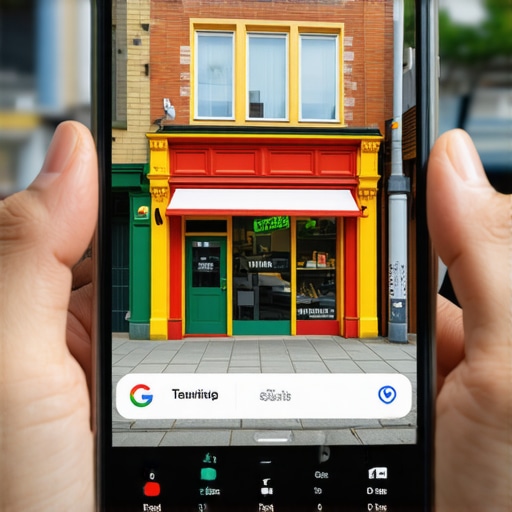
Keep Your Subject in the Dead Center
Google’s algorithm is smart, but it’s also prone to aggressive cropping in different view modes. If you take a vertical shot but put your storefront sign at the very top, it might disappear in the thumbnail view. Always frame your most important element—the ‘hook’—in the center 60% of the frame. This ensures that whether the user is looking at the search results list or your full profile, the message remains clear. This is a core part of a successful local mapping strategy because it guarantees consistency across all devices.
Feeding the Google Beast What It Actually Wants
Engagement is a circular game. Google shows photos that people click on, and people click on photos that are easy to see. If you want to improve your google my business rank, you have to provide high-quality data that results in high-quality interactions.
Turn Your Storefront into an Unavoidable Landmark
When you photograph the exterior of your building, don’t just stand across the street and take a wide shot. Get closer, tilt your phone vertically, and capture the height of the building or the unique texture of your signage. This provides the one thing Google looks for in your storefront photos: instant recognizability. Last month, I had a client with a messy citation history whose ranking had stalled. We didn’t fix the citations first; we fixed the photos. By switching to high-contrast, vertical storefront shots, their ‘share of voice’ in the neighborhood increased simply because their listing became the most clickable result in the pack. The simple photo trick that boosts your map engagement overnight works because it exploits the visual nature of mobile browsing. You aren’t just a dot on a map; you are a destination that demands attention through sheer pixel dominance.Now that you’ve fixed your aspect ratios, let’s talk about the deeper architecture of local maps domination. Most business owners think they can win by sheer volume—more reviews, more photos, more citations. But there is a point of diminishing returns where your effort actually starts to backfire.
Why 500 Reviews Might Actually Be Hurting Your Visibility
Everyone says to chase five stars like your life depends on it. However, in my experience, a sudden surge of generic ‘Great service!’ reviews can trigger a spam filter or lead to a manual review that you don’t want. Worse yet, why having 500 reviews might actually be hurting your visibility often comes down to ‘review velocity.’ If you get 50 reviews in one week and then nothing for three months, Google sees your business as a flash in the pan rather than a stable local fixture. Advanced innovative local mapping strategies prioritize steady, monthly growth over one-time blasts.
Can Google Detect if Your Photos Are Authentically Local?
This is the hidden nuance that separates the pros from the amateurs. Many agencies still tell you to manually add GPS coordinates to your photo metadata (EXIF data) before uploading. This is a massive ‘oops’ factor. Modern research from experts like Sterling Sky suggests that Google’s Vision AI is much more interested in the visual content of the photo than the hidden data tags which are easily faked. If you upload a photo of a generic office but tag it to a specific street corner, Google’s AI will detect the mismatch between the pixels and the location. The hidden map signal in your customers’ photo uploads is far more powerful because it carries organic proof of location that the AI trusts.
The Service Area Error That Kills Your Leads
Another common myth is that setting a massive service area in your dashboard will help you rank in the next county over. In reality, why your service area settings are killing your local leads is because it dilutes your ‘proximity authority.’ Google wants to show the most relevant, closest result to the user. If you tell Google you serve 10 different cities, but your physical office is only in one, you’re basically telling the algorithm you are a generalist. This often leads to the ‘invisible wall’ effect, which explains why your map ranking disappears when you cross city lines. You are better off dominating a three-mile radius than being invisible in a thirty-mile one. Have you ever fallen into this trap of trying to be everywhere at once? Let me know in the comments.Scaling your local dominance isn’t about working harder; it’s about working smarter with the data you already have. Once you’ve fixed your photos and narrowed your service area, the next step in mastering local maps domination is consistency. I tell my clients that a Google profile is like a garden—if you don’t pull the weeds (spammy competitors) and water the plants (new reviews), it will eventually wither. One thing I always watch is my ‘review velocity.’ Instead of begging for a hundred reviews at once, focus on the review frequency secret for long term map dominance. Google’s algorithm loves a steady heartbeat. If you’re getting two reviews a week, every week, you’re signaling that your business is consistently active and reliable. This is how you secure your spot in the map pack permanently without triggering any red flags.
How do I maintain my map rank over time?
Maintenance is a game of defense. You need to keep an eye on your competitors because they are definitely watching you. If a competitor moves closer or starts keyword-stuffing their name, you need to know how to outsmart competition in local map listings in 2025 by using the ‘Suggest an Edit’ feature responsibly. According to Google’s official documentation on improving local ranking, the three pillars remain relevance, distance, and prominence. While you can’t change your distance from a searcher, you can absolutely scale your prominence by encouraging customers to upload their own images. I’ve seen how customer photos change your ranking in just 48 hours simply because it provides the AI with fresh, authentic proof of your location.
Tools That Actually Move the Needle
I don’t guess where my clients rank. I use tools like Local Falcon to see the bigger picture. It is the only way to truly understand why your map rank is different for every person who searches. If you are standing in your lobby, you are always number one. But what about the customer three blocks north? A geo-grid tool shows you exactly where your ‘invisible wall’ is located. I also recommend regularly auditing your categories. A subtle category tweak that doubled local impressions for one of my locksmith clients involved simply moving ‘Locksmith’ to the primary slot and using secondary categories to double your map reach for specialized services like ‘Key Duplication.’ Looking ahead, I predict that Google will rely even more on ‘Local Guides’ to verify business data, so you should learn how to use local guides to improve your profile authority by inviting them to review your shop.
Try This Right Now
If you want to see a jump in your google my business rank, go into your dashboard tonight and check your secondary categories. Most owners set these once and never look back. Add two highly specific secondary categories that match your highest-margin services and watch your impressions over the next seven days. You might be surprised at how much territory you’ve been leaving on the table.
What I Finally Realized After Years in the Local SEO Trenches
For a long time, I thought google my business rank was just a math problem involving distance and keyword density. I was wrong. The biggest lesson I’ve learned is that Google cares more about how humans interact with your pixels than how many citations you’ve bought. If you focus on the user experience—making your profile the easiest to read and the most inviting to click—the algorithm will eventually catch up. Another lightbulb moment was realizing that perfection is a red flag. If your profile is too clinical or your review growth is too mechanical, you lose that organic ‘neighborhood feel’ that local searchers crave. When you start fixing messy citations without spending a fortune, don’t get obsessed with being 100% identical across every obscure directory; focus on being 100% helpful where it counts. I’ve also found that the real reason your profile ranking stalled is often a lack of fresh engagement rather than a technical error. Keep the momentum going by treating your profile like a living conversation with your community.
The Gear and Intel I Use to Win Every Day
Success in this game requires a few reliable allies. I never start a campaign without Local Falcon; it’s the only way to visualize the ‘invisible walls’ of your territory and understand your true reach. For the visual side, I rely on Canva to ensure every upload hits that perfect 4:5 vertical ratio that grabs mobile attention. I also spend time reading the BrightLocal blog, which provides excellent data-driven insights into mastering local maps domination proven strategies for 2025 success. Finally, don’t overlook the Google Business Profile Help Community. It is a goldmine for understanding why positive reviews alone wont win the map pack and how to navigate weird technical glitches.
Go Claim the Space You Deserve
You now have the technical blueprint to outshine the competition and truly dominate maps. Remember, every vertical photo you upload and every thoughtful review response you write is a brick in the wall of your local authority. This isn’t just about a local mapping strategy; it’s about making sure your business is the first choice for your neighbors when they need help. The map pack is waiting for you to take your spot at the top. Have you ever felt like an invisible wall was blocking your business from customers just a few blocks away? Let me know your experience in the comments below!
About the Author
Umar Latif
Brand & Marketing Expert · Dubai, UAE
Umar Latif is a seasoned Brand and Marketing Expert based in Dubai, UAE, with a specialized focus on Local SEO and international digital strategy. With extensive experience managing and optimizing websites for a diverse range of international clients, including those in the United States, Umar has developed a deep understanding of the nuances required to dominate local search results. His technical proficiency encompasses comprehensive keyword research and the implementation of advanced Google-centric strategies designed to enhance visibility and drive organic traffic. As a contributor to dominateyourlocalmaps.com, Umar leverages his background in global marketing to provide actionable insights for businesses looking to improve their local map rankings and digital footprint. His approach combines data-driven tactics with a strategic brand perspective, ensuring that local businesses not only rank higher but also resonate with their target audience. Throughout his career, Umar has remained dedicated to staying ahead of search engine algorithm changes to deliver consistent results for his clients. He is deeply passionate about empowering business owners and marketing professionals with the tools and knowledge they need to achieve sustainable growth.